Bit-perfect, exclusive output, sample rate follow.
Press dossier · Fidelia
A boutique hi-fi for the music you've collected.
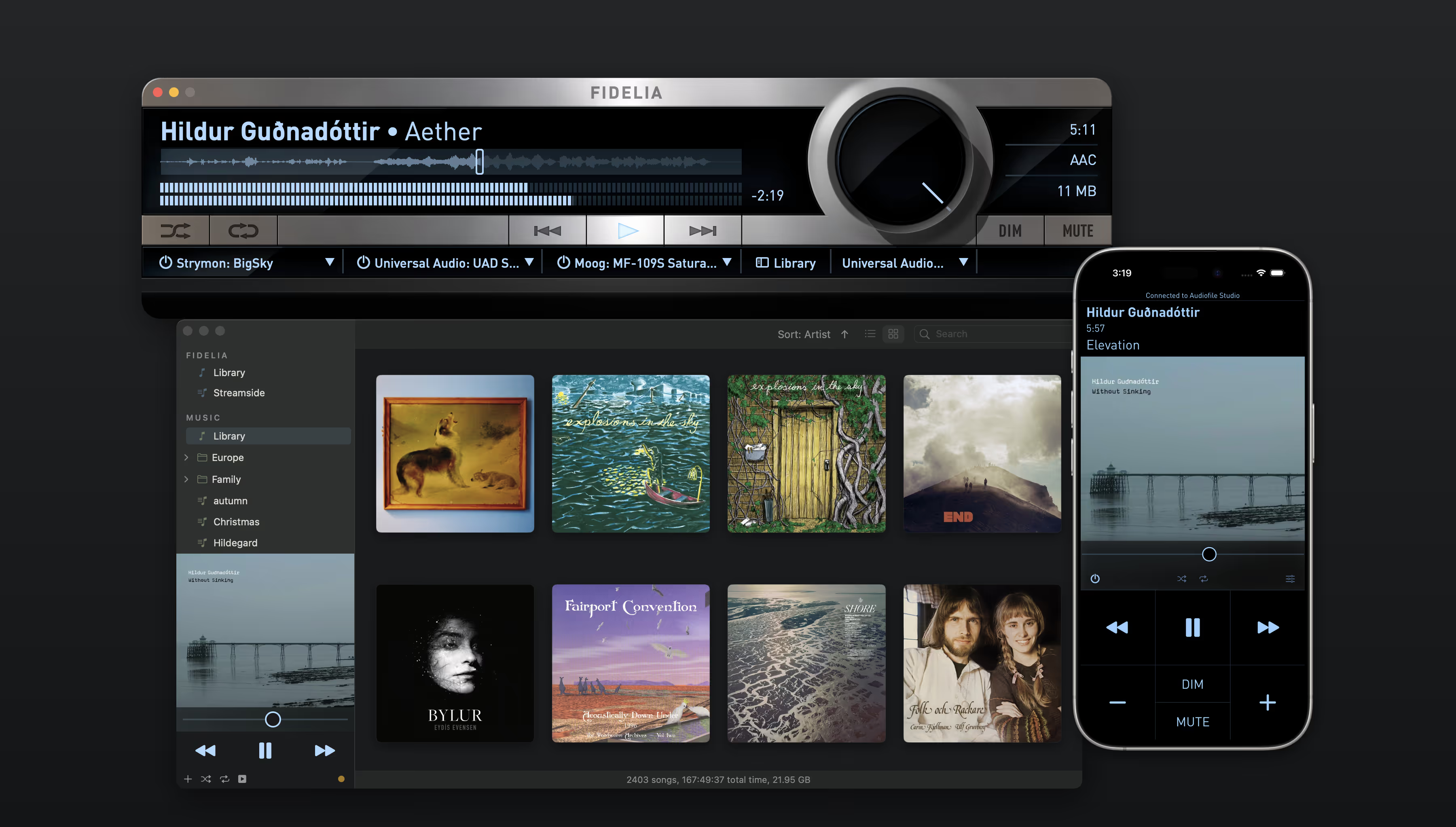
Everything between the file and the DAC has been touched: bit-perfect output, mastering-grade DSP, and Audio Unit slots in the listening path — on the Mac, and now on iPhone with CarPlay. No subscription.
Story brief
A boutique hi-fi for digital archives.
Fidelia first appeared in the Mac audiophile-player era. Most of that era's apps are gone or unrecognizable.
Fidelia is still here, rebuilt on its own audio engine with a carefully tuned new signal chain, for listeners who never stopped collecting.
And it grew: Fidelia for iPhone carries the same engine into the car with CarPlay, speaks Lyrion and UPnP, and Bridge moves the Mac’s library across the owner’s own Wi-Fi — no cloud involved.
Where Fidelia lives
Listening rooms. Mastering desks. Speaker labs.
Headphone processing, SRC, and dither in the listening path.
Three Audio Unit slots — for effects, meters, or audition.
Fidelia Remote — control from the listening position.
The Audiofile Engine — the same realtime core under every Audiofile app.
At a glance
Fidelia facts.
Platform macOS 14 or later (Apple Silicon and Intel) · iOS 17 or later, with CarPlay
Distribution Mac App Store
On iPhone iOS App Store
Price Free to download; one-time in-app unlock, no subscription
Output Bit-perfect, exclusive, sample-rate follow, up to 128 channels
Built-in DSP Ten-band EQ with AutoEQ import, HeadSpace, Pro Dither, Reference SRC
Audio Units Three slots, AU v2 or v3
Formats FLAC, ALAC, WAV, AIFF, DSD (DSF), APE, MP3, AAC, Opus, more
Library Local files plus Music.app sync; Bridge syncs Mac → iPhone over Wi-Fi
Companion Fidelia Remote (iOS, free)
Reception
“There is nothing that looks or works like Fidelia.”
“What matters most is having an audio player that plays back my signal accurately and without coloration. As someone working in a recording studio, that is extremely important to me. I honestly don’t think there is any comparable tool out there.”
— Raffael Gruber, Austria
“Uso Fidelia hace más de 10 años, y sólo puedo decir que es el mejor reproductor de audio para MacOS. El sonido, poderoso, sedoso y analítico sin sobresaltos.”
— nodata80, Chile
“I’ve been using this player for years, and it has no equivalent.”
— JnCmbn, France
Reviewer workflow
How to listen.
- Import a parent folder containing FLAC or ALAC tracks.
- Engage HeadSpace on headphones. Adjust from default settings until the soundstage reads like speakers in a room.
- Insert a familiar AU plugin into slot 1 — an EQ, a saturator, a meter. Open the plugin GUI from inside Fidelia to adjust.
- Pair Fidelia Remote on iPhone. Control transport, library, volume, and even AU effects from the listening position.
- Try bit-perfect, exclusive output. The OS mixer, DSP, and AU signal chain drop out; Fidelia owns the device.
Press assets
Use these URLs.
Copy-ready boilerplate
Audiofile Engineering is an audio product studio in Two Harbors, Minnesota. Since 2004, the studio has built apps for Apple platforms and engineered audio products for music and pro audio brands. The flagship app, Fidelia, is a music player for collected libraries on Mac and iPhone. Past clients include Universal Audio, RØDE, D'Addario, and teenage engineering. Project specifics are confidential.
Short press pitch
Fidelia is a boutique hi-fi for digital archives — Audiofile Engineering's music player for listeners who never stopped collecting, on the Mac and now the iPhone.